

Moving basic styles from Figma to WordPress should be simple. In practice, it rarely is.
Design teams define typography, spacing, and color systems inside Figma. Development teams rebuild those styles inside WordPress. Over time, inconsistencies creep in. Headings shift. Buttons vary. Editors override brand rules.
The friction does not come from design. It comes from translation.
Getting basic styles from Figma to WordPress efficiently requires a structured system — not visual copying.
What Does “Basic Styles” Actually Mean?
When teams talk about moving styles from Figma to WordPress, they usually mean:
- Typography scale
- Brand color palette
- Spacing system
- Button styles
- Form styling
These are not design decorations. They are foundational rules that shape every page built afterward.
If implemented correctly once, they eliminate future rework.
Why Does Figma-to-WordPress Handoff Slow Projects Down?
Because most teams attempt visual replication instead of system mapping.
A common scenario:
- Designers finalize layouts in Figma.
- Developers manually recreate CSS inside a WordPress theme.
- Editors later override styles.
- New landing pages introduce inconsistencies.
The result is the design drift.
The problem is not WordPress. It is the absence of a structured style layer.
What Is the Fastest Reliable Way to Transfer Styles?
The fastest method is not exporting CSS. This structured approach is typically implemented through professional CMS website development services, where design systems and CMS configuration are aligned from the foundation.
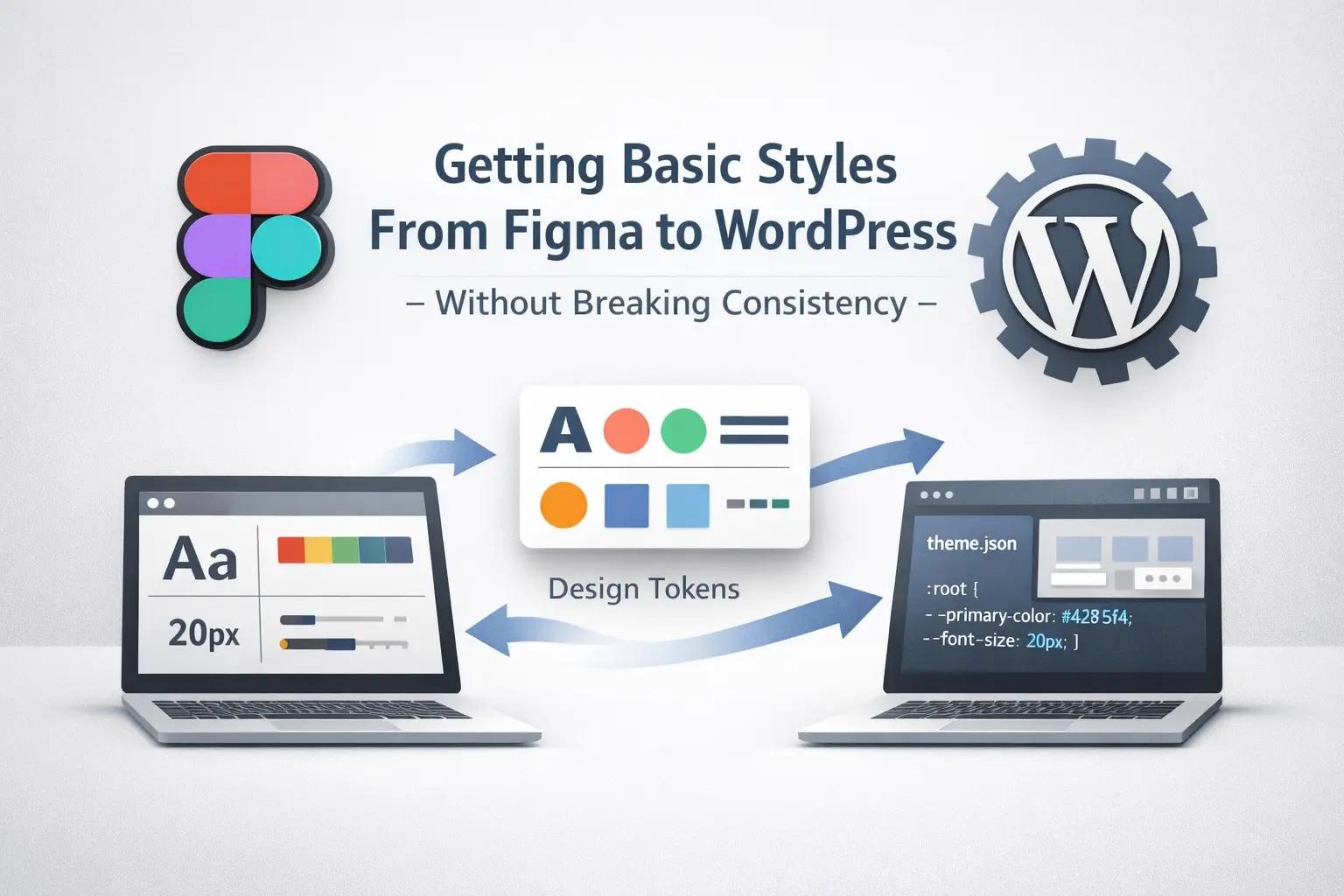
It is defining design tokens and mapping them into WordPress configuration. nstead of copying styles, teams should:
- Extract design tokens from Figma (colors, font sizes, spacing values)
- Map those tokens into WordPress via theme.json
- Configure global styles once
- Restrict uncontrolled overrides
When this is done properly, WordPress becomes aligned with the design system at its foundation.
This reduces QA cycles dramatically.
Why Plugins Are Not a Long-Term Solution
Several tools promise “Figma to WordPress conversion in minutes.”
They often export CSS automatically.
That works for prototypes.
It does not scale for production.
Plugin-heavy style implementation typically results in:
- Bloated CSS
- Duplicate style definitions
- Performance issues
- Update conflicts
Modern WordPress (6.x+) already supports structured styling through:
- theme.json
- Global Styles
- Block patterns
- Reusable components
For enterprise builds, the theme layer should define styling rules. Plugins can assist with assets, but they should not define your design foundation.
How Do Teams Prevent Design Drift After Launch?
Post-launch inconsistency is the real risk.
Most drift happens because:
- Editors adjust typography freely
- Inline styles get added
- New plugins introduce conflicting CSS
Governance is critical.
Strong implementations:
- Disable unrestricted color pickers
- Limit typography to defined scales
- Use reusable block patterns
- Apply role-based permissions
- Maintain staging workflows
This approach transforms WordPress from an editable canvas into a governed publishing system.
Can the Figma-to-WordPress Process Be Automated?
Partially.
Design tokens can be exported via Figma API.
CSS variables can be generated automatically.
But automation only works when the design system is already structured.
If the Figma file contains inconsistent naming, duplicate color values, or multiple unstructured variants, automation simply accelerates chaos.
Automation improves speed.
Structure determines success.
What Should Technical Leaders Evaluate Before Approving This Workflow?
Before adopting any Figma-to-WordPress process, evaluate:
- Is the design system documented?
- Are tokens standardized?
- Can editors break brand rules?
- Is CSS optimized and reusable?
- Will the setup survive WordPress updates?
Speed matters. Maintainability matters more.
How Does Style Governance Affect Commercial Outcomes?
Basic styles directly influence:
- Time-to-launch
- Publishing velocity
- Form usability
- Brand credibility
- SEO structure
For example, consistent heading hierarchy improves crawlability.
Clear spacing improves readability.
Standardized form styles improve completion rates.
Design consistency reduces bounce rates, especially in B2B environments where trust and clarity influence high-consideration decisions.
What looks like a technical detail often affects lead generation.
What Is the Correct Enterprise Model?
Enterprise teams often rely on experienced WordPress development services to implement governed style systems that remain stable as content scales.
A stable implementation separates:
- Design system (Figma as source of truth)
- Theme configuration (theme.json)
- Reusable block patterns
- Controlled editor experience
- Governance workflow
When these layers are clearly defined, moving basic styles from Figma to WordPress can genuinely take minutes; because the system is prepared.
Without structure, it takes weeks.
Final Thought
For organizations scaling digital platforms, investing in structured custom WordPress development ensures design integrity survives growth.
Most teams focus on replicating pixels.
High-performing teams focus on preserving systems.
When basic styles are defined once and enforced structurally, WordPress becomes scalable instead of fragile.
The real question is not: “How fast can we replicate Figma?”
It is:
“How do we ensure design integrity survives scale?”
Answer that, and the rest becomes implementation
At OpenSpace Services, we implement structured CMS and WordPress systems that preserve design integrity as a platform scale.