
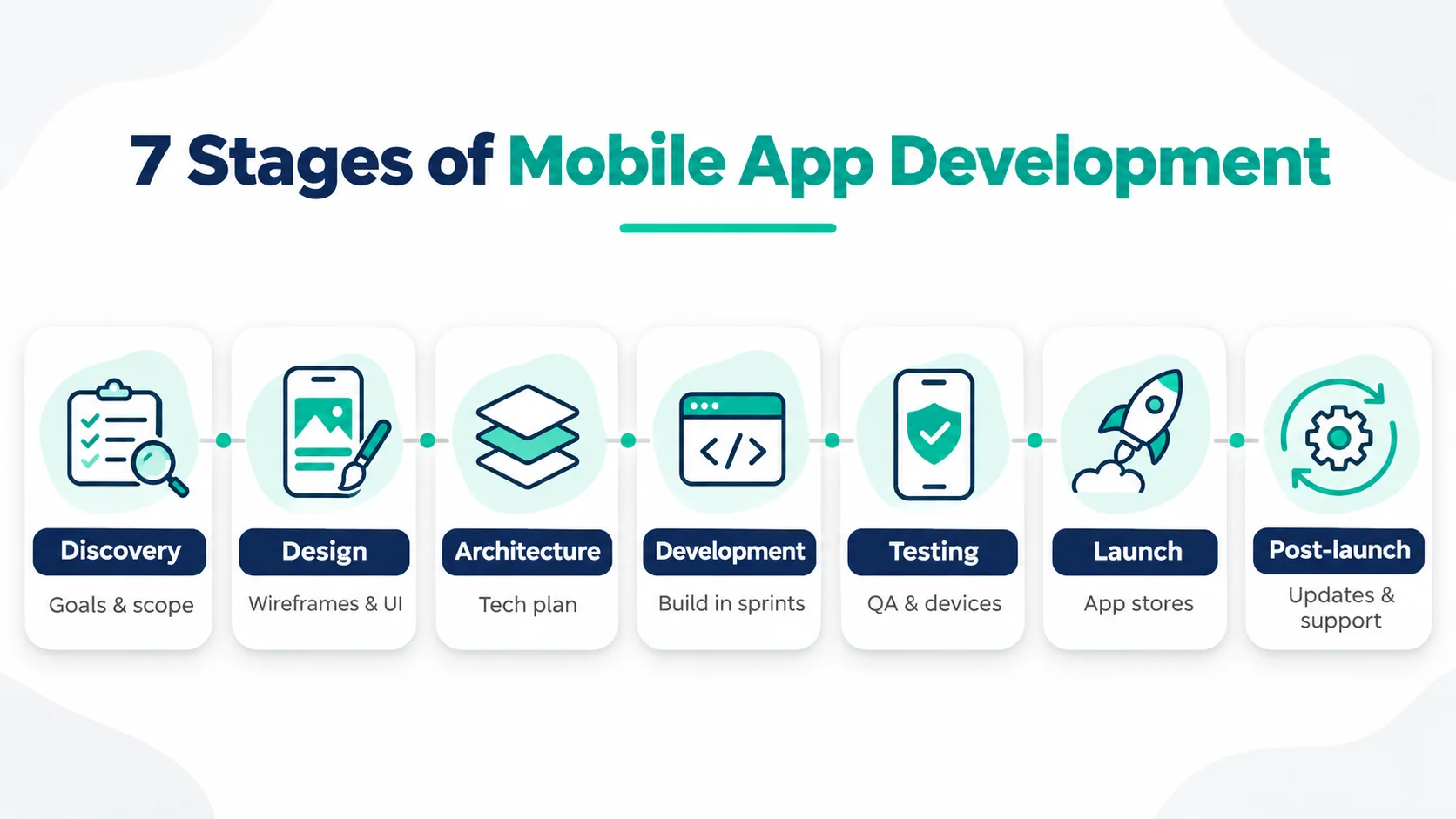
Quick answer: Building a mobile app usually involves seven stages: discovery, design, architecture, development, testing, launch and post-launch support. A simple MVP typically takes 2 to 4 months, a standard custom app 4 to 9 months, and a complex app 9 months or more. App store accounts, testing rules and reviews can add a few weeks, so start them early.
We’ve built enough mobile apps to know the first question clients ask isn’t “Which tech stack?” It’s “When can we launch?” The honest answer is “It depends”. It’s also the least satisfying answer in software.
In this blog, we break down the mobile app development process into clear steps. You'll see what happens at each stage, how long it usually takes, what you get at the end, and the small admin tasks that quietly delay launches.
| Stage | What happens | Typical time | What you get |
|---|---|---|---|
| Discovery and planning | Goals, users, features, MVP scope | 1 to 4 weeks | A scoped feature list and plan |
| UX and UI design | User flows, wireframes, visual design | 3 to 8 weeks | A clickable prototype |
| Architecture | Tech stack, data, integrations | 1 to 2 weeks | A technical plan |
| Development | Building in short sprints | 2 to 6 months | A working build every sprint |
| Testing and QA | Functional, device, performance and security tests | Ongoing, plus 2 to 4 weeks at the end | A tested release candidate |
| Launch | Store listings, review, release | 1 to 2 weeks | A live app |
| Post-launch | Monitoring, fixes, updates | Ongoing | An update plan |
These are typical ranges for a standard custom app. Stages overlap, so the total is shorter than the sum, and a simple MVP uses the short end of each range. Your project may be faster or slower depending on scope and decisions.
How Long does it Take to Build a Mobile App?
Most apps take between 2 and 9 months, and complex apps take longer. Your mobile app development timeline depends mostly on three factors:
- The number of features
- The number of integrations
- How quickly decisions are made.
| App type | Example features | Typical time |
|---|---|---|
| Simple MVP | A few core screens, basic login, no complex integrations | 2 to 4 months |
| Standard custom app | Accounts, payments, notifications, an admin panel | 4 to 9 months |
| Complex app | Real-time features, many integrations, strict compliance | 9 months or more |
When you compare mobile app development cost and timeline across quotes, check that each quote covers the same scope. A faster, cheaper quote often leaves out testing, store setup or support after launch.
What are the Mobile App Development Stages?
Most teams follow seven mobile app development stages. Some merge or split them, but the work underneath is the same.
Discovery and Planning
This is where you decide what the app must do first. We define the problem, the users, the core features and what can wait for version two.
- Business goals and success measures
- User types and key journeys
- A prioritised feature list and MVP scope
- A rough plan, timeline and estimate
What if you're not sure about features yet? That's normal, and it's exactly what discovery is for. It's far cheaper to change your mind here than later.
UX and UI Design
Design turns the plan into screens. Wireframes come first, then visual design, then a clickable prototype you can test with real users before any code is written.
Changing a button in a design file takes minutes. Changing it after it's built takes a sprint and a slightly awkward conversation.
Architecture and Tech Stack
Here we choose how the app is built: the framework, backend, database, hosting and integrations.
The old advice was to build two separate native apps, one for iOS and one for Android. That’s no longer the default. Cross-platform frameworks such as React Native and Flutter now let one team ship to both platforms from shared code, using native code only where it’s needed. Our guide to choosing a mobile app stack explains the trade-offs.
Development
This is the longest stage. We build in two-week sprints, and you see a working demo at the end of each one. Frontend screens, backend services and integrations such as payments or maps are usually built in parallel.
Testing and QA
Testing isn't a single stage at the end anymore. Automated tests run with every build, and testers check each feature as it's finished. Before launch, there's a final round across real devices, screen sizes and network conditions.
- Functional testing: does every feature work?
- Device testing: does it work on older phones and tablets?
- Performance testing: is it fast and stable?
- Security testing: is user data protected?
App Store Submission and Launch
We prepare store listings, screenshots and privacy details, then submit to the Apple App Store and Google Play. Once approved, you can release to everyone at once or roll out gradually.
Post-Launch Support
Launch is the start of the app’s life, not the end of the project. The team monitors crashes, fixes bugs that only real users find and plans regular updates. We cover this in more detail below.
What do You get at the End of Each Stage?
Every stage should end with something you can see and approve. This keeps the project on track and makes progress easy to check.
| Stage | You receive | You approve |
|---|---|---|
| Discovery | Scope document, feature list, estimate | MVP scope |
| Design | Prototype and design files | Final screens |
| Architecture | Technical plan | Stack and hosting |
| Development | A working build every sprint | Sprint demos |
| Testing | Test reports and a release candidate | Go-live |
| Launch | Live app and store listings | Store content |
| Post-launch | Analytics and an update plan | Next priorities |
If a partner can't tell you what you'll have at the end of each stage, that stage probably has no end.
Which Admin Steps can Add Time Before Launch?
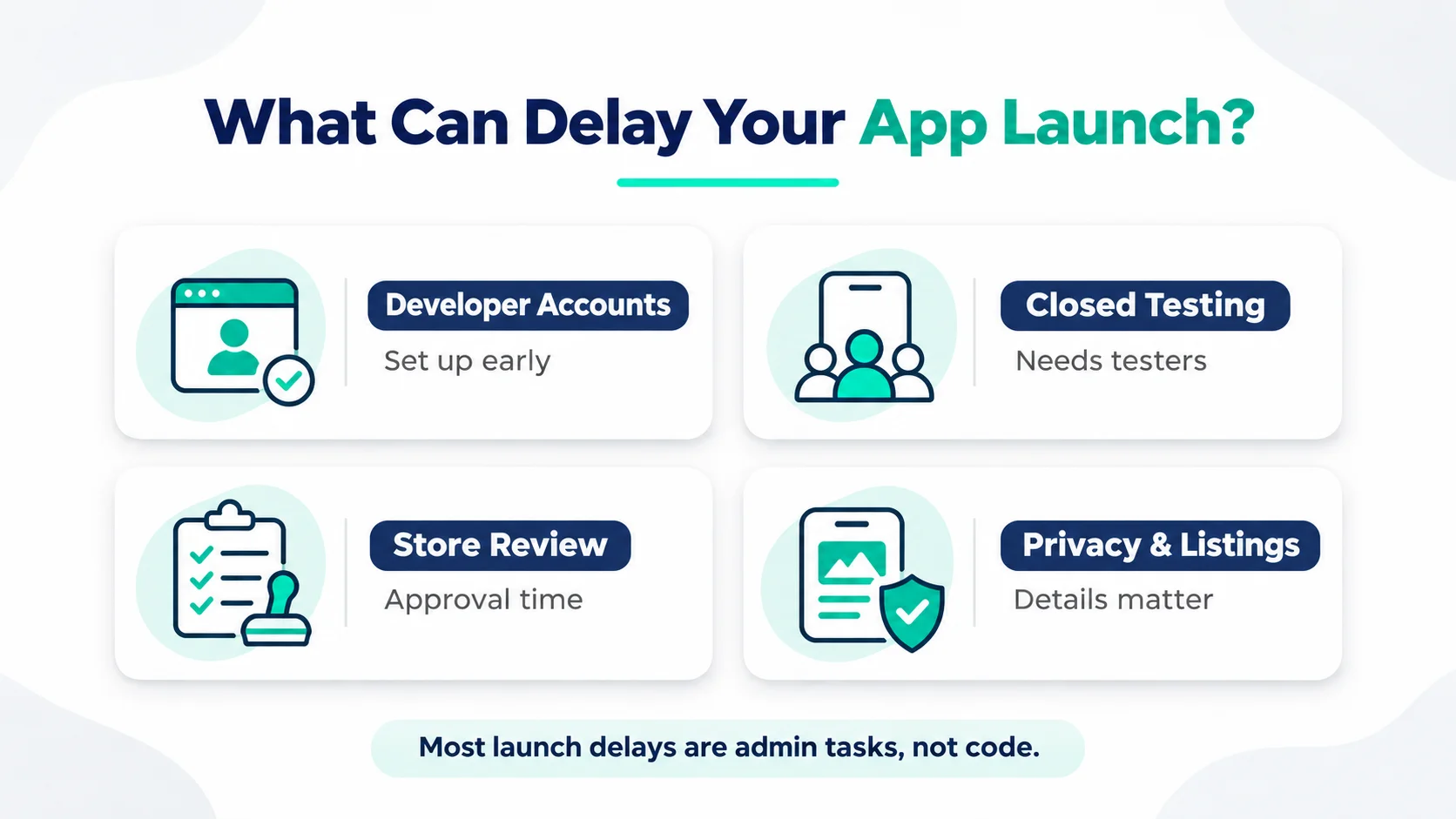
App store accounts, testing rules and store reviews can each add days or weeks before launch. None of them involve code, and all of them can delay a launch if they’re left to the last week.
| Step | Who handles it | How long it takes | Tip |
|---|---|---|---|
| D-U-N-S (Data Universal Numbering System) number for an Apple organisation account | You | Up to 5 business days, plus up to 2 for Apple to receive it (Apple) | Request it during discovery |
| Google Play closed test for new personal accounts | You and your testers | At least 12 testers for 14 days in a row (Google) | Check your account type early |
| Apple App Review | Apple | At least 50% of submissions in under 24 hours, 90% in under 48 hours (Apple) | Submit complete details and a working test login |
| Privacy labels and Data safety form | You and your partner | A few days of input | List the data your app collects early |
| Store listing content | You | Varies | Prepare screenshots and text during development |
"Most launch delays have nothing to do with code. They come from accounts, approvals and store paperwork. Start those on day one, and launch week gets a lot calmer." Niket Shah, Founder, OpenSpace Services
What Does Your Team Need to do at Each Stage?
Your team's input shapes the timeline as much as ours. The most useful steps are simple:
- Name one decision-maker who can approve scope and designs
- Share brand assets, content and any existing user research
- Provide test accounts for systems the app connects to
- Agree on a feedback window, such as two working days per review
- Set up your Apple and Google developer accounts early
Fast, clear feedback is often the biggest lever you control.
What Happens After Launch?
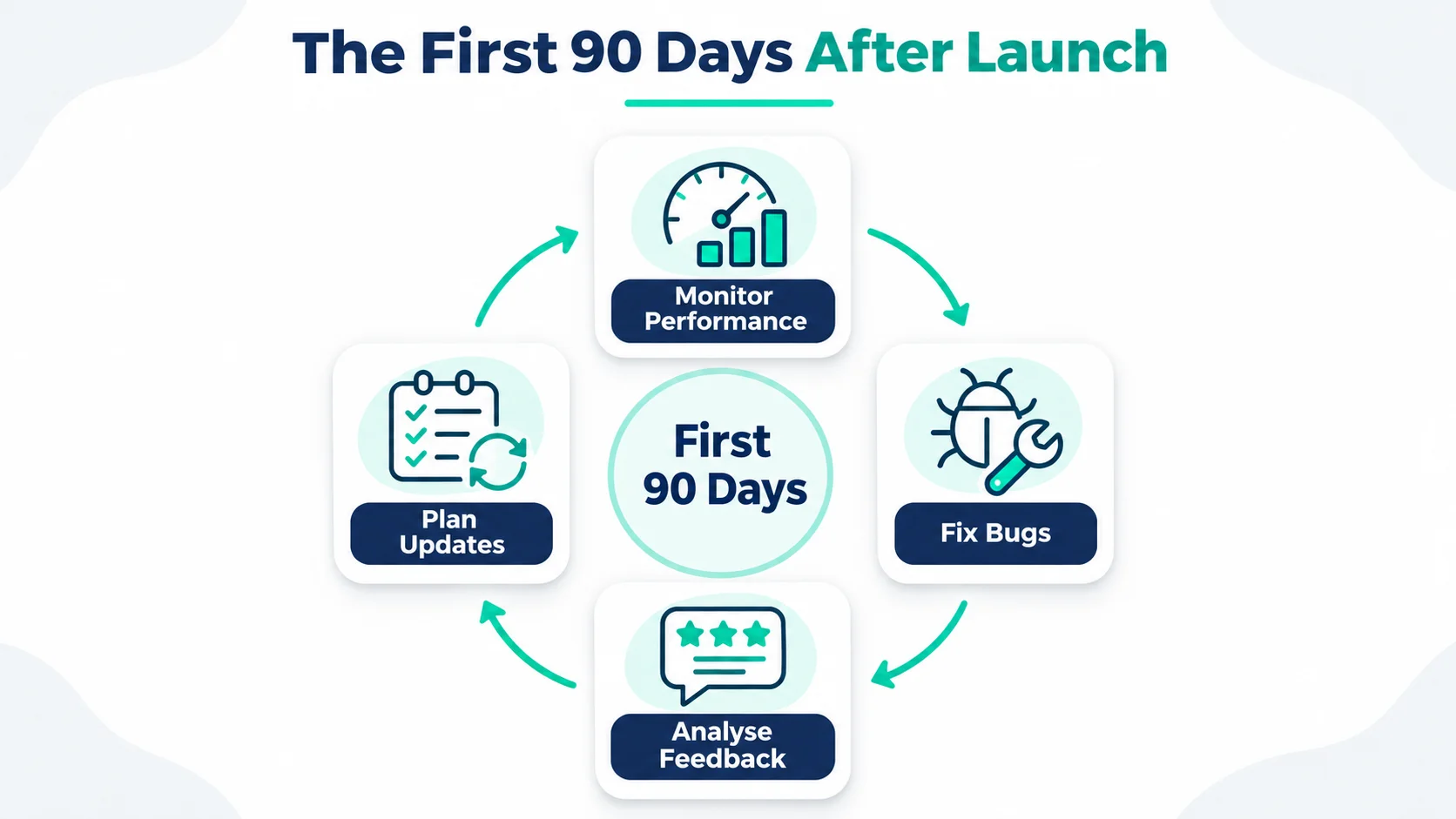
The first 90 days are about learning and fixing. After that, the app moves into a regular update cycle.
The first 90 days:
- Monitor crashes, errors and app performance
- Fix bugs that only show up with real users
- Read analytics and store reviews
- Plan version 1.1 based on what people use
Every year after: Apple and Google update their platforms and requirements every year. For example, since 31 August 2026, new apps and updates on Google Play must target Android 16 (Android Developers). Treat these updates like an annual car service: planned, budgeted and refreshingly boring.
A good custom mobile app development service includes a plan for this from day one, not just a launch date. Our post on mobile app performance optimisation covers the technical side of keeping an app healthy.
What Speeds up or Slows Down a Mobile App Project?
Clear scope and quick decisions speed things up. Changing scope and slow approvals slow them down.
| Speeds things up | Slows things down |
|---|---|
| A clear, small MVP scope | Adding features mid-build |
| A cross-platform build, where it fits | Two separate codebases when one would do |
| Fast, consistent feedback | Slow or changing approvals |
| Early app store setup | Last-minute account issues |
| Reusing an existing backend | Many new integrations |
Can AI coding tools speed things up? They help with some coding and testing tasks. But decisions, design reviews and store approvals still take the same time, so they shorten parts of the timeline rather than the whole thing.
What does this Look Like in a Real Project?
Born Smart is a subscription app for parents. It offers expert-curated activity videos matched to a child's development milestones, along with parenting tips and a parent community. Here's how its key decisions mapped to the stages.
| Stage | What it meant for Born Smart |
|---|---|
| Discovery | Multi-language support and flexible subscription plans were planned from the start, since both shape the whole app |
| Design | Responsive layouts for both phones and tablets |
| Architecture | React Native for iOS and Android from one codebase, hosted on Microsoft Azure |
| Post-launch | Google Analytics data guides which features to update next |
The lesson is simple: the decisions made in discovery, such as languages and subscription plans, shaped every stage that followed.
Where Should You Start?
Write down the one problem your app must solve for its users, and who those users are. That single page is the start of every good mobile app development process, and it makes the first discovery session far more useful.
Whether you need a full mobile software development service or help with one stage, talk to our team. Our offices in Boston and Chicago work with businesses across the US.